Rex Digital / Case Study
How GetInShape turns body poses into mathematical understanding
A technical case study on building getinshapes.vercel.app: an embodied-learning game that uses camera input, pose detection, and 3D interaction to help students understand complex math concepts.
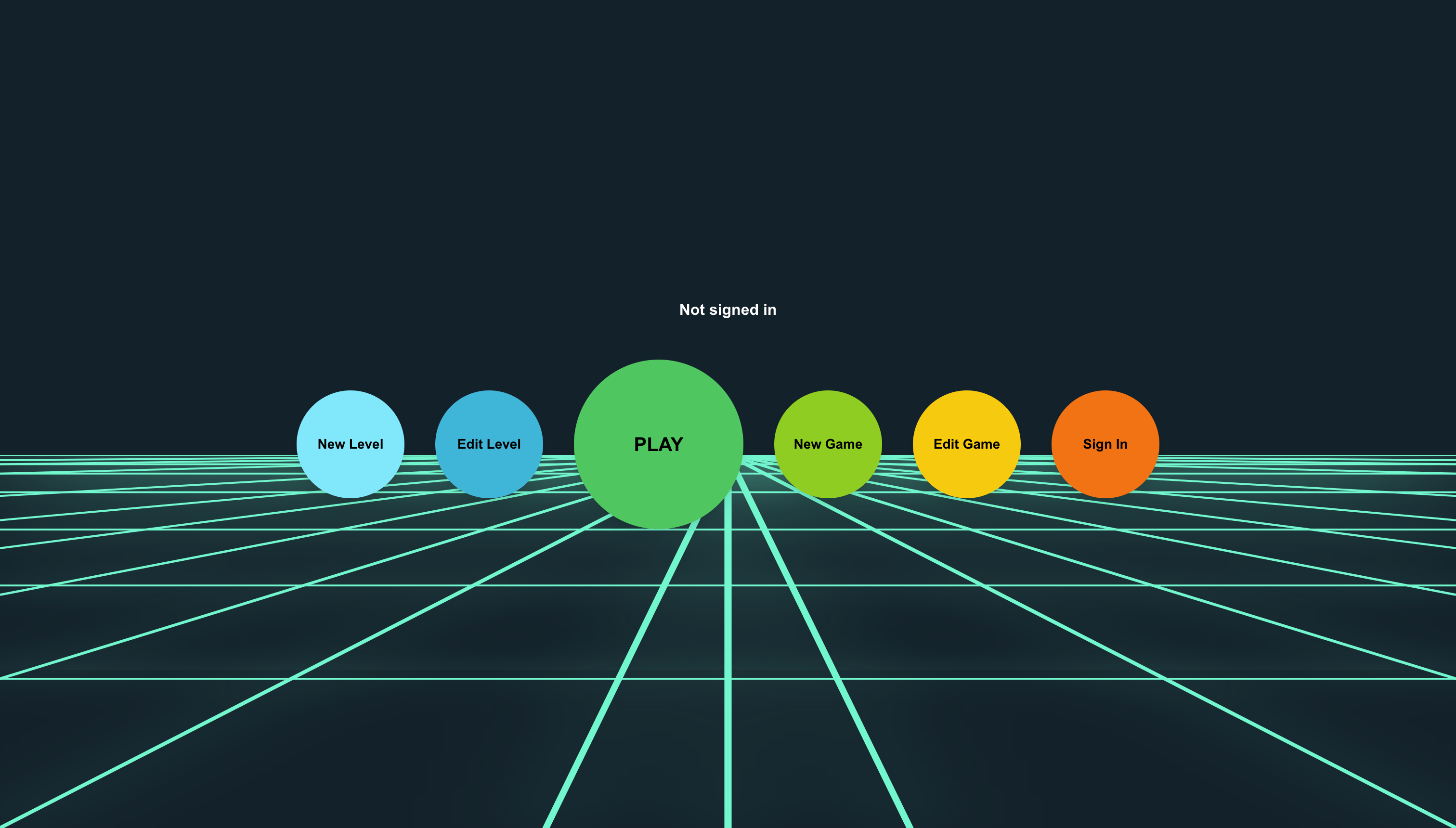
GetInShape started with an ambitious educational idea: help students understand complex mathematical concepts through body poses, movement, and play. Instead of asking learners to only read formulas or watch diagrams, the game lets them use their bodies as part of the learning system.
Rex Digital helped shape getinshapes.vercel.app into a live embodied-learning experience built around camera input, pose detection, 3D point mapping, real-time feedback, and a clean classroom-ready browser interface.
The product challenge
Most math learning tools ask students to look at a screen and reason abstractly. GetInShape needed students to physically form, match, and explore mathematical shapes through their own posture. That changed the product problem completely. The interface had to guide camera setup, detect the body reliably, translate poses into game state, and make mathematical feedback visible without overwhelming the learner.
The core challenge was making advanced interaction feel simple. A student should not have to understand pose estimation, camera permissions, or coordinate systems. They should understand the concept being explored, the pose they are trying to form, and how their body relates to the shape on screen.
Designing the first playable flow
The experience was built around a clear entry path: land on the game menu, understand the learning challenge, set up camera detection, then enter live pose-based play. Each step had to reduce hesitation. The product needed enough energy to feel fun, but enough restraint to keep the mathematical relationship readable while the student is moving.
We treated the browser as the learning space. The UI, camera preview, game stage, scoring feedback, and pose prompts had to live together in a way that stayed legible across different devices, classroom setups, and lighting conditions.
Building camera input and pose detection
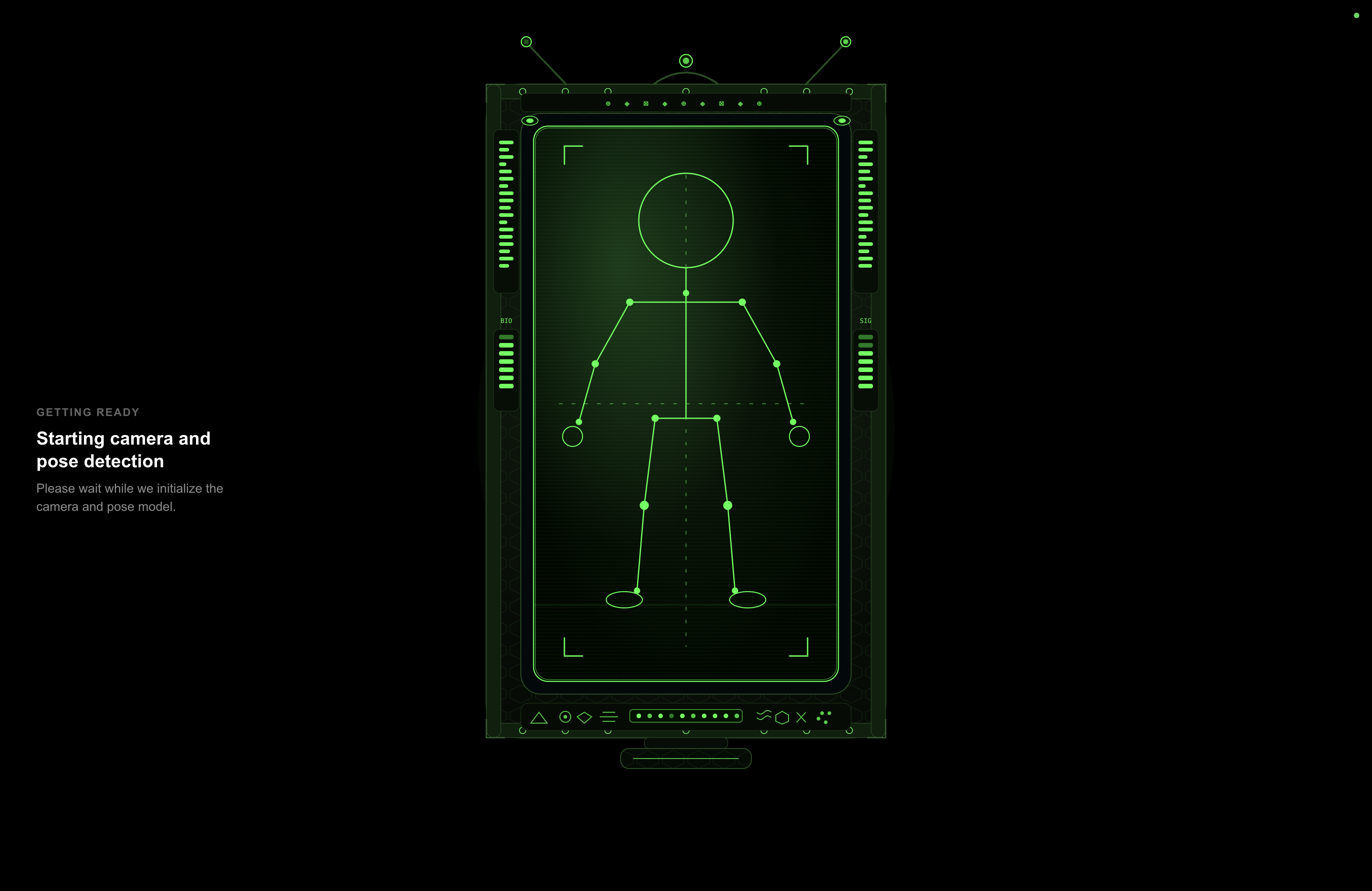
The technical heart of GetInShape is the connection between live camera input and body tracking. The system needed to detect the student's pose, map key body points, and translate those points into learning decisions in real time.
That meant the implementation had to handle several realities: students stand at different distances, webcams vary in quality, rooms have different lighting, and body motion is never perfectly still. The product could not depend on one ideal demo environment. It needed practical tolerances, clear feedback, and an educational game loop that continued to feel responsive.
- Camera onboarding: guide the student into granting access and positioning themselves correctly.
- Pose tracking: identify body landmarks and convert them into useful geometry and shape signals.
- Real-time feedback: show whether a pose is being recognized without forcing students to read dense UI.
- Error recovery: make it obvious when the learner needs to adjust distance, lighting, or framing.
Mapping poses into mathematical gameplay
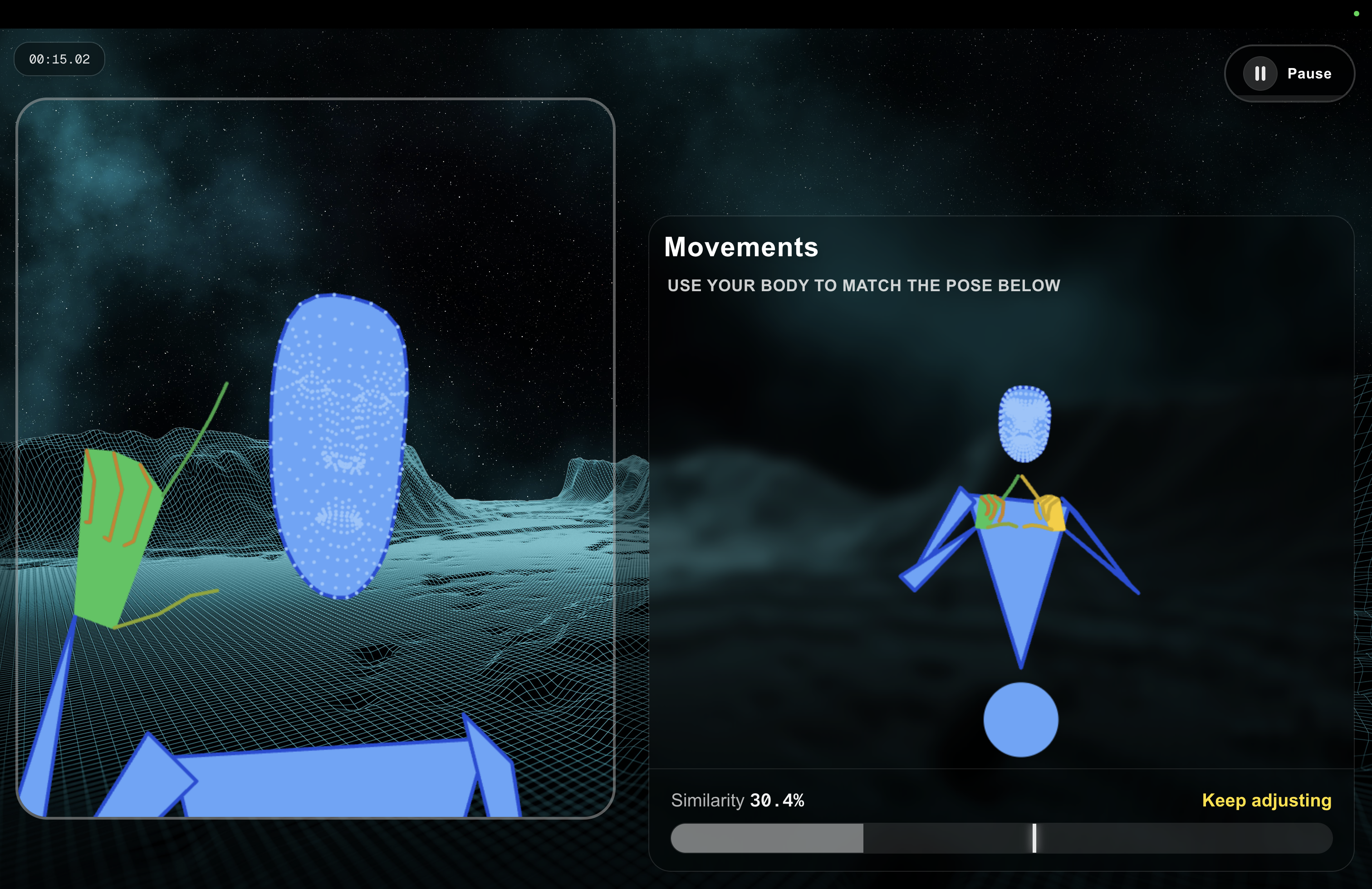
Once body points could be detected, the next step was turning them into meaningful learning. GetInShape maps poses into a visual game space with 3D points, target shapes, scoring, and live interaction. The student is not just being measured; they are using their body to explore relationships that can otherwise feel abstract.
The game logic had to reward clear pose matching and keep the feedback loop tight. If the student forms the shape correctly, the interface should respond quickly enough to feel connected to their body. If they miss, the system should communicate that without making the experience feel punishing or confusing.
Creating the admin and operating layer
A product like GetInShape also needs structure behind the game screen. Rex Digital built supporting flows so the experience could be managed, reviewed, and improved beyond the first playable version. The admin side gives the product room to grow from a demo into an operating system for lessons, challenges, classroom content, and game oversight.
This layer matters because educational products rarely stay static. Once students begin playing and teachers begin testing, the team needs ways to understand behavior, adjust the experience, and expand the learning content without rebuilding the entire product from scratch.

What made the product work
The strongest part of the build was the connection between technical complexity and student simplicity. Camera input, pose detection, 3D mapping, scoring, and browser performance are hard problems, but the user experience had to feel direct: open, allow camera, form a pose, see the concept respond.
- Learning strategy: the experience was shaped around embodied learning, not a loose technology demo.
- Interaction design: camera, game, and feedback states were organized around how students actually move in front of a screen.
- Technical build: pose detection and 3D gameplay were brought into a browser-first educational experience.
- Performance thinking: the interface had to stay responsive while processing live body movement.
- Scalable foundation: the admin and product structure gave the game room to evolve with new lessons and challenges.
The outcome
GetInShape became a polished live browser experience that shows how far a custom educational web product can go beyond a standard website. It combines math learning, gameplay, camera interaction, body poses, and real-time feedback into a product students can understand from a single link.
For Rex Digital, the project is a strong example of technical product development inside a marketing-minded studio: not just making a page look good, but building a working learning experience that can attract attention, demonstrate innovation, and help students understand complex mathematical concepts in a more physical, memorable way.